
This tutorial explores the full range of ChatGPT’s capabilities, from basic task automation and learning assistance to advanced features like data analysis and content generation. By mastering prompt techniques, customizing responses, and using tools like Custom GPTs and follow-up questioning, users can significantly enhance their productivity and creativity. Whether for personal or professional use, ChatGPT serves as a powerful AI tool that simplifies complex tasks, making it easier to learn, plan, and execute projects efficiently.
ChatGPT is more than just a chatbot. It’s an AI-powered assistant capable of transforming how you handle everyday tasks, from managing projects to automating routine processes. Whether you’re new to ChatGPT or looking to deepen your skills, this guide will teach you how to maximize the tool’s capabilities for both personal and professional use.
Guide Content
- Why Use ChatGPT?
- Key Areas Where ChatGPT Can Improve Your Life
- How to Use ChatGPT Effectively: The Basics
- The Art of Prompt Engineering
- Moving Beyond Basic Queries
- Combining Prompts for Efficiency
- Advanced Features of ChatGPT
- Advanced Techniques for Expert Users
- Best Practices for Using ChatGPT
- Conclusion: Unlock ChatGPT’s Full Power
Why Use ChatGPT?
ChatGPT isn’t just a tool for quick answers; it’s a versatile AI that can help streamline workflows, enhance productivity, and even entertain. By mastering ChatGPT, you can automate repetitive tasks, gain insights, and improve decision-making processes. This tutorial will cover everything from basic operations to more advanced features so you can use ChatGPT to its fullest.
Key Areas Where ChatGPT Can Improve Your Life
1. Learning and Research
ChatGPT can assist you in learning new topics quickly and efficiently. Whether you’re studying for an exam or researching a complex topic, ChatGPT can help you summarize large chunks of information, break down difficult concepts, or even provide quick quizzes for self-testing.
2. Task Automation
From scheduling to project management, ChatGPT can automate time-consuming tasks. You can ask it to draft emails, organize meeting agendas, or even generate code snippets. With a few well-constructed prompts, you can get the results you need without manually doing the heavy lifting.
3. Creativity and Entertainment
Need inspiration for a creative project? ChatGPT can help brainstorm ideas, write short stories, or even generate poems. You can also use it to create personalized games, quizzes, or travel plans for leisure.
How to Use ChatGPT Effectively: The Basics
Understanding Prompts
In ChatGPT, the quality of the response is heavily dependent on the quality of your prompt and prompt is the message or question you input. A clear, well-defined prompt will yield better results than a vague one.
Types of Prompts
There are two types of prompts to be considered:
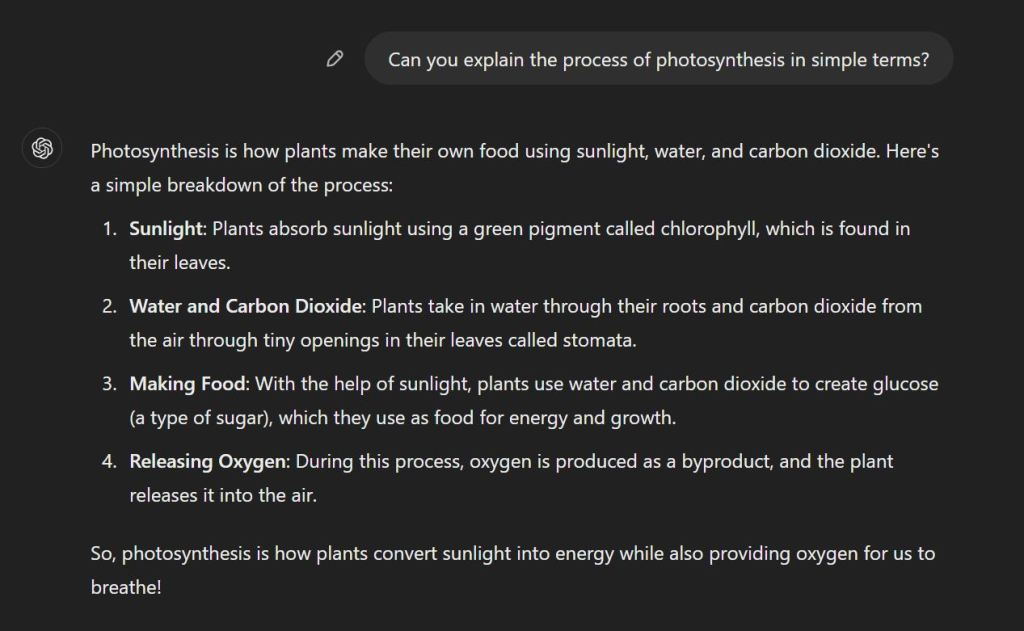
- Inquiries: Ask ChatGPT to explain or clarify information (e.g., “Can you explain the process of photosynthesis in simple terms?”).
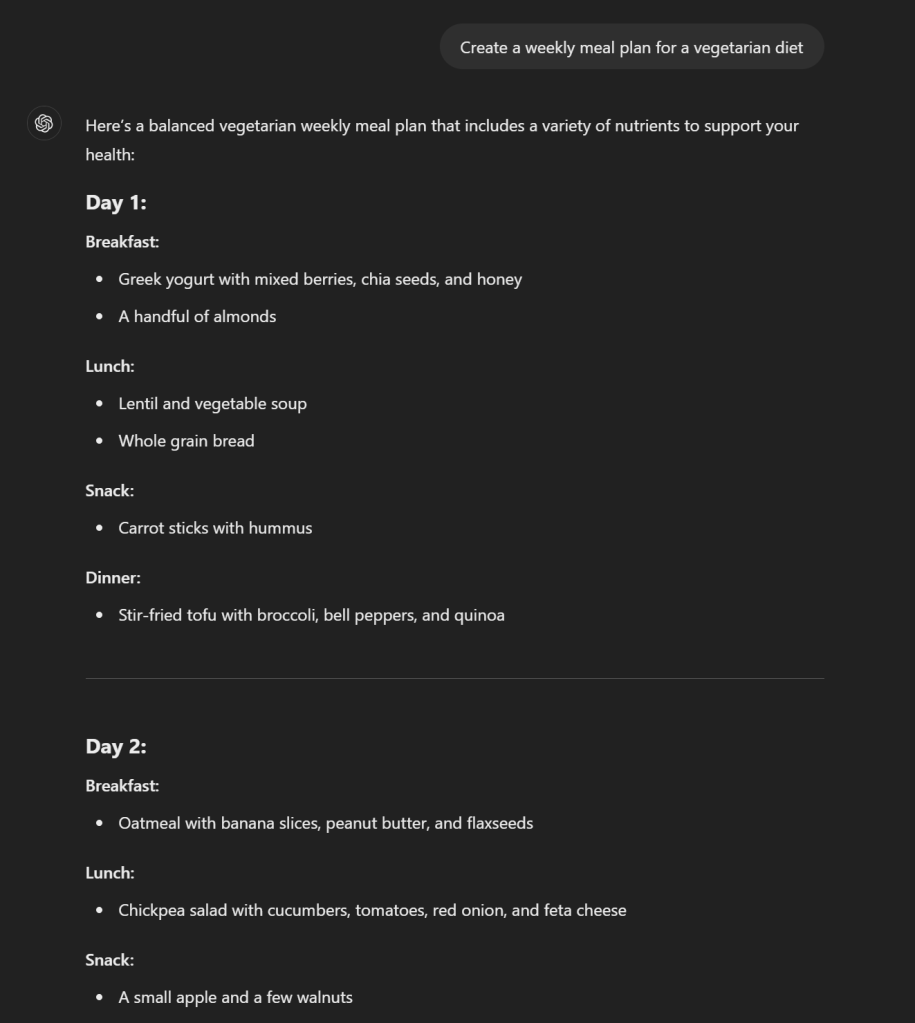
- Direct Instructions: Tell ChatGPT to perform a task (e.g., “Create a weekly meal plan for a vegetarian diet”).
Structuring Follow-Up Questions
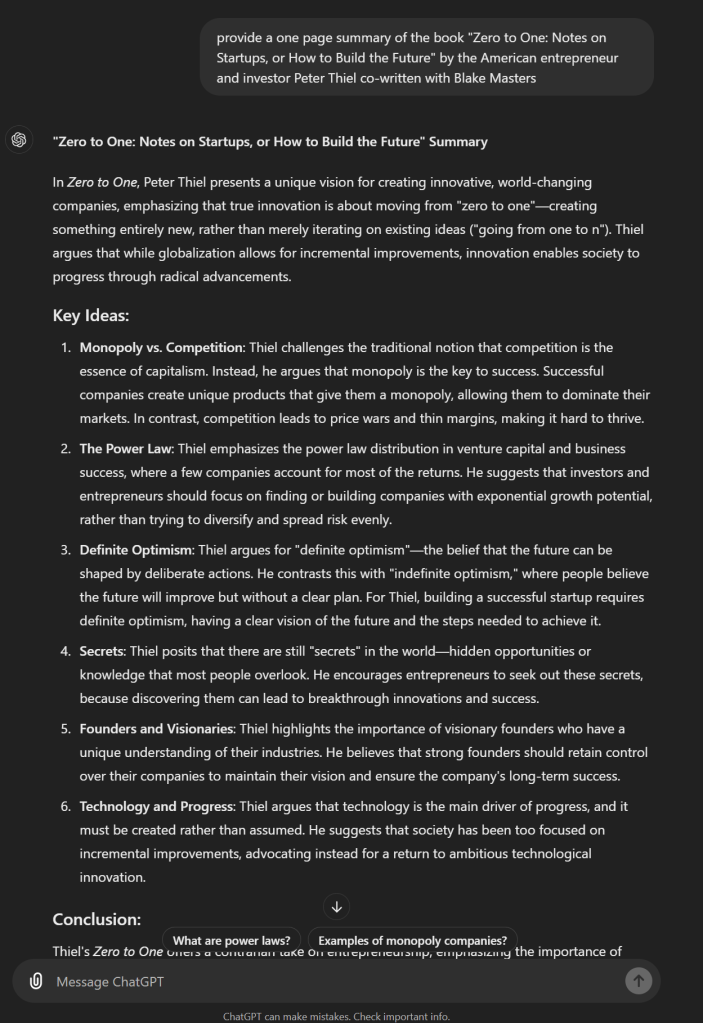
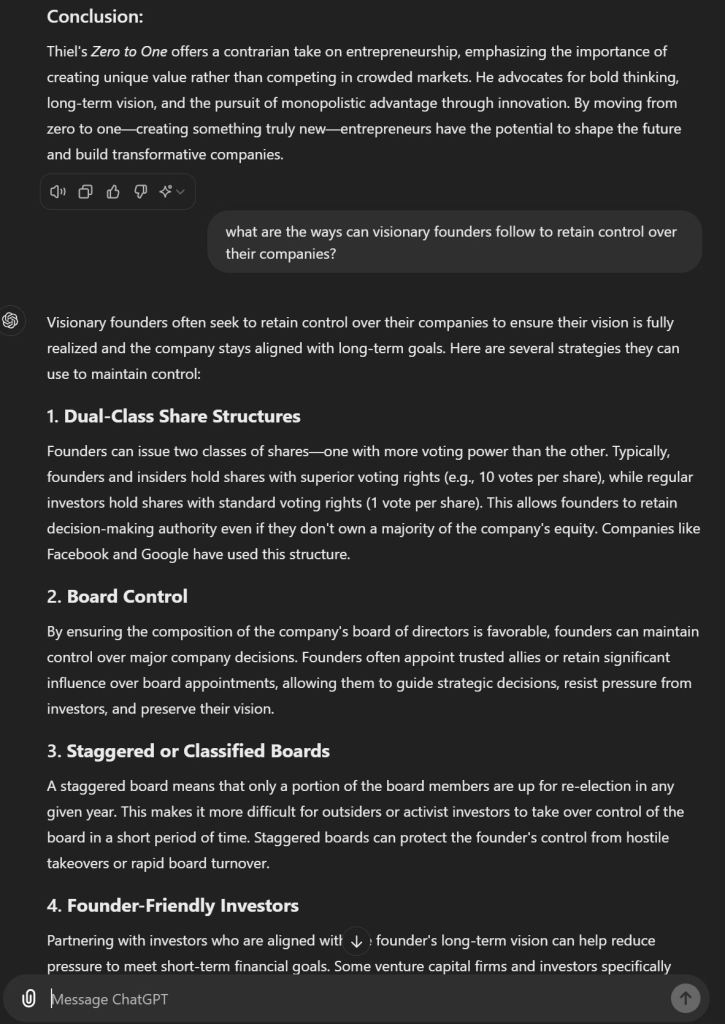
One of ChatGPT’s strengths is its ability to maintain context in a conversation. After receiving an initial response, you can follow up with more specific or detailed questions to refine the information you need. For instance, after asking for a summary of a book, you can ask for a deeper analysis of a particular character or theme.
The Art of Prompt Engineering
Prompt engineering is one of the most critical skills for effectively using ChatGPT. It involves crafting precise, well-structured prompts that yield the most accurate and helpful responses.
Prompt engineering is the key to unlocking the full potential of ChatGPT. By mastering this skill, you can guide ChatGPT to provide more precise and useful responses, whether you’re using it for personal projects, business tasks, or creative pursuits. In this section of the guide, I will break down what prompt engineering is, how it works, and how you can structure your prompts to get the best results.
What Is Prompt Engineering?
At its core, prompt engineering is the process of designing clear, structured, and detailed prompts to ensure ChatGPT delivers responses that meet your specific needs. It’s not about overcomplicating things but about being strategic with the information you provide.
Instead of relying on vague inputs and hoping for good results, prompt engineering helps you direct ChatGPT toward exactly what you want. You don’t need a special certification or degree to master it, just a good understanding of how to communicate effectively with the AI.
Why is Prompt Engineering Important?
The better your prompt, the better your result. A vague or unclear prompt may generate irrelevant or incomplete responses, whereas a well-engineered prompt will give you detailed, accurate, and actionable outputs.
Step-by-Step Framework for Creating Effective Prompts
1. Start with a Clear Objective
Every prompt should begin with a clear goal. What is the ultimate result you’re trying to achieve? By starting with a well-defined objective, you set the tone for the rest of your interaction with ChatGPT.
For example, let’s say you want to grow your blog’s readership. A strong goal would be: “I want to increase my blog’s monthly visitors from 5,000 to 10,000 within six months by focusing on SEO and content strategy.”
This clearly outlines what you want ChatGPT to help with—growth, timeframe, and methods (SEO and content strategy). Whether your goal is personal (e.g., planning a trip) or professional (e.g., crafting a business strategy), it should be explicitly stated upfront.
2. Provide Detailed Context
Once you’ve set your goal, the next step is to add context. This gives ChatGPT the background information it needs to tailor its response specifically to your situation.
For instance, if your goal is to improve your blog’s traffic, you could add: “My blog focuses on sustainable living. I currently publish three articles a month, and my most popular posts are on eco-friendly products. My readers are primarily young adults interested in environmentalism and DIY projects.”
This level of detail helps ChatGPT better understand the nuances of your blog and audience, allowing it to provide a more targeted strategy for achieving your goal. The more relevant context you provide, the better ChatGPT can assist.
3. Specify the Desired Action
Finally, be clear about what you want ChatGPT to do. Whether it’s generating a content plan, analyzing data, or giving tips, specify the exact output you’re looking for.
For example: “Please create a 6-month content strategy that includes SEO tips, suggested article topics, and weekly goals to reach 10,000 visitors.”
In this case, you’re not just asking for general advice; you’re requesting a detailed action plan with specific elements (SEO tips, article topics, and goals).
By breaking the prompt into three parts including goal, context, and action, you guide ChatGPT to produce more relevant, tailored responses.
Best Practices for Prompt Engineering
Now that you know the basic framework, here are some best practices to ensure your prompts are always effective:
1. Be Concise, Yet Comprehensive
It’s important to strike a balance between being concise and providing enough detail. Avoid overly wordy prompts, but don’t omit important information either. For instance, a request like: “Give me some content ideas for my blog” is too vague. Instead, you could say: “I need five article ideas for my sustainable living blog, focusing on eco-friendly DIY projects that appeal to young adults.”
This approach gives ChatGPT more to work with while staying to the point.
2. Use Natural Language
When crafting prompts, talk naturally as if you’re communicating with a colleague or friend. There’s no need to use complex jargon or overly formal language. For example, rather than saying: “Generate content of a high standard suitable for the domain of environmental conservation,” you could say: “Can you help me create engaging, well-written blog posts about environmental conservation?”
ChatGPT is designed to understand and respond to everyday language, so keep your communication straightforward and conversational.
3. Incorporate Follow-Up Prompts
One of the most powerful features of ChatGPT is its ability to continue the conversation. After receiving a response, use follow-up prompts to refine or expand on the information provided.
For example, if ChatGPT provides you with a list of article ideas, you could follow up with: “Great, can you give me SEO keywords for each of these articles?”
This allows you to build on the initial response and dive deeper into the topic without starting from scratch.
4. Experiment and Iterate
Prompt engineering is not a one-size-fits-all process. It’s often helpful to experiment with different approaches and see which ones yield the best results. If one prompt doesn’t work as expected, tweak it and try again. Over time, you’ll develop a sense of what works best for your specific needs.
Practical Examples of Effective Prompt Engineering
Let’s go over a few practical examples that demonstrate how you can apply prompt engineering principles in different scenarios.
Example 1: Business Strategy
Goal:
“I want to develop a marketing plan to boost online sales for my eco-friendly products by 20% in the next quarter.”
Context:
“My brand offers sustainable home goods like reusable kitchen products and eco-friendly cleaning supplies. Most of my customers are eco-conscious millennials. I currently have an active Instagram account with 5,000 followers and a monthly email newsletter.”
Action:
“Please create a 3-month marketing plan that includes Instagram campaigns, email marketing tips, and product promotion strategies.”
Example 2: Personal Productivity
Goal:
“I want to improve my time management to balance work, exercise, and personal hobbies.”
Context:
“I work 9-5, and I usually struggle with finding time to exercise during the week. My hobbies include painting and reading, and I’d like to spend more time on these.”
Action:
“Can you create a weekly schedule that helps me balance my work, exercise routine, and hobbies while avoiding burnout?”
Example 3: Creative Writing
Goal:
“I want to write a short story about a futuristic world where humans coexist with AI.”
Context:
“The story takes place in a city where AI governs daily life, and the protagonist is a human journalist investigating a major AI malfunction.”
Action:
“Help me brainstorm key plot points and conflicts for this story, including potential twists.”
Prompt engineering is a vital skill that transforms your ChatGPT interactions from basic to highly effective. By clearly defining your goal, providing necessary context, and specifying the desired action, you guide ChatGPT to give you accurate and tailored responses. Don’t forget to experiment, iterate, and refine your prompts over time. Soon, you’ll be able to extract even more value from ChatGPT, no matter what task you’re tackling.
Mastering prompt engineering is your first step toward fully leveraging AI’s power to solve problems, create content, and streamline workflows.
Moving Beyond Basic Queries
Customizing Responses
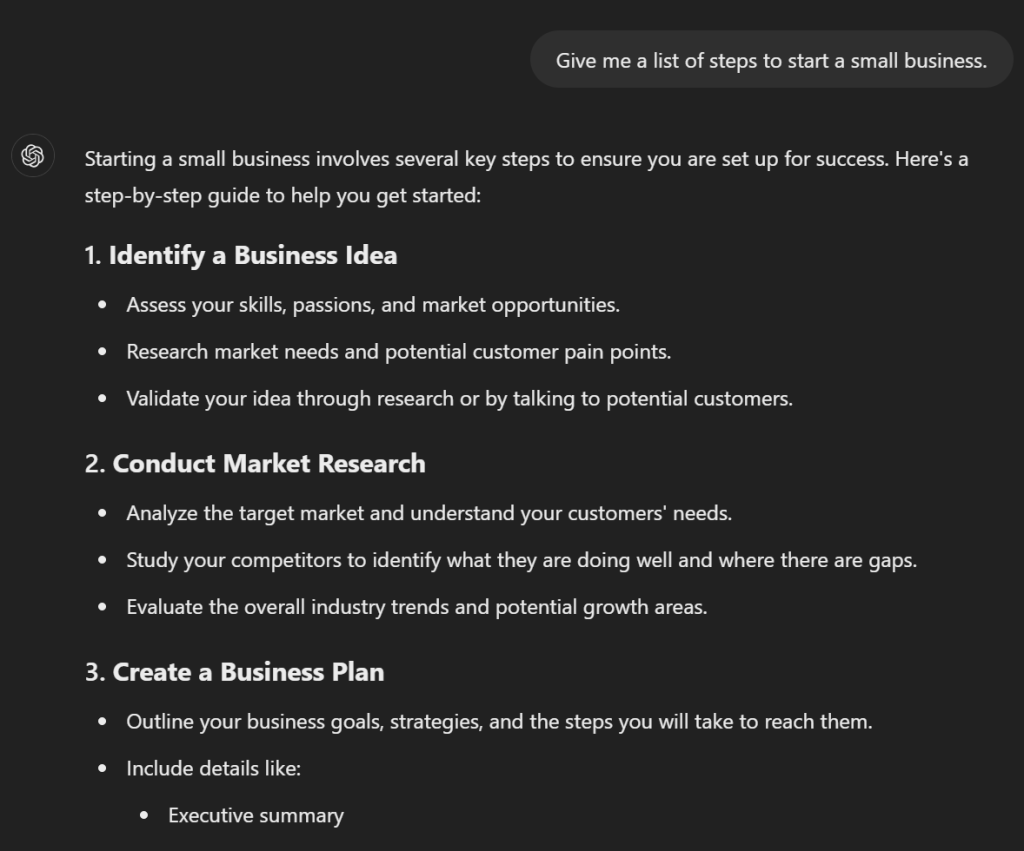
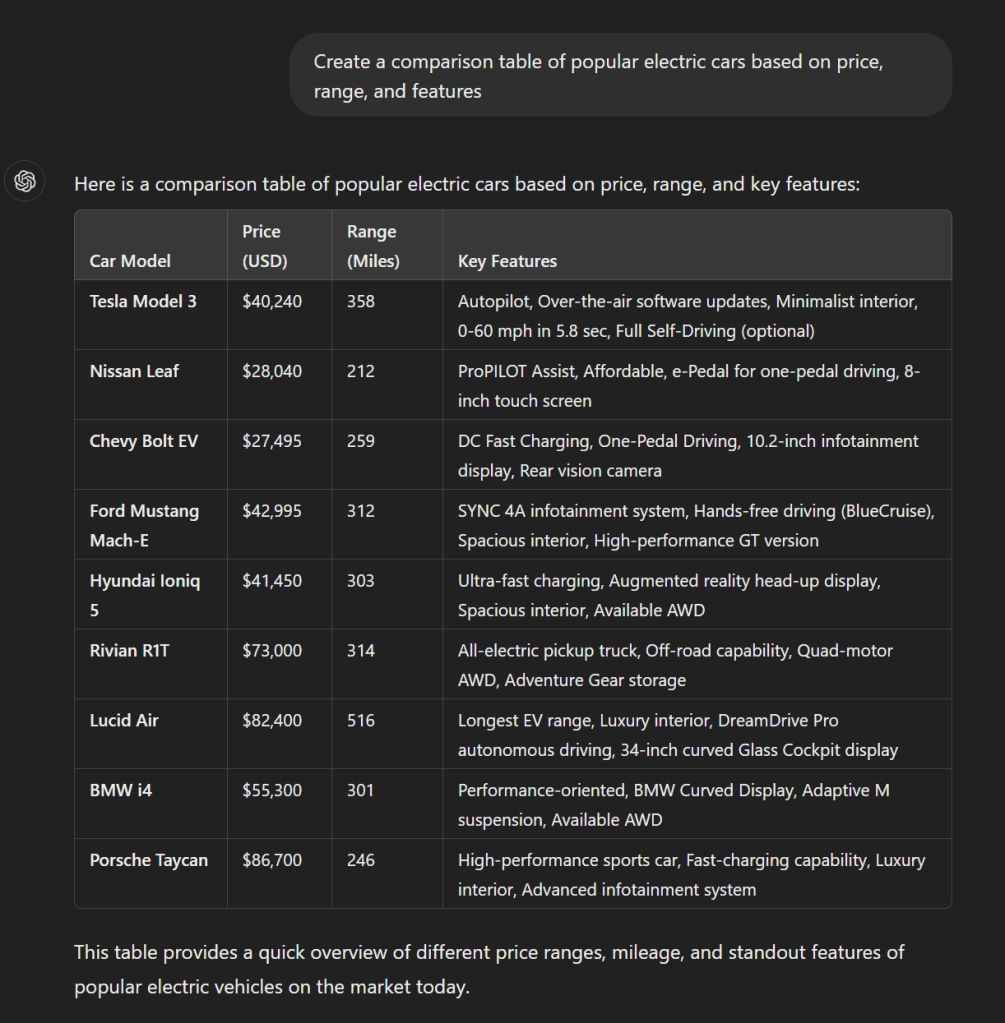
Did you know you can guide ChatGPT in how it responds? You can ask it to provide answers in different formats, such as:
- Lists: “Give me a list of steps to start a small business.”
- Tables: “Create a comparison table of popular electric cars based on price, range, and features.”
- Bullet Points: “Summarize the key points from this article in bullet form.”
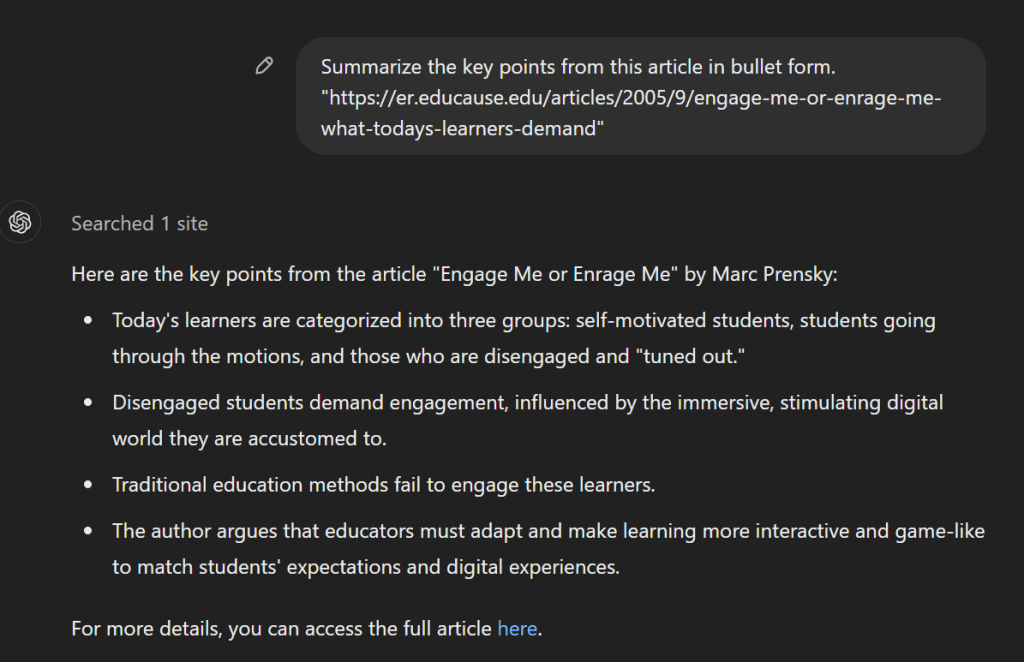
** Note that the last prompt used the web browsing feature which is available in the plus plan.
These formats make it easier to digest information and present it in a professional context.
Combining Prompts for Efficiency
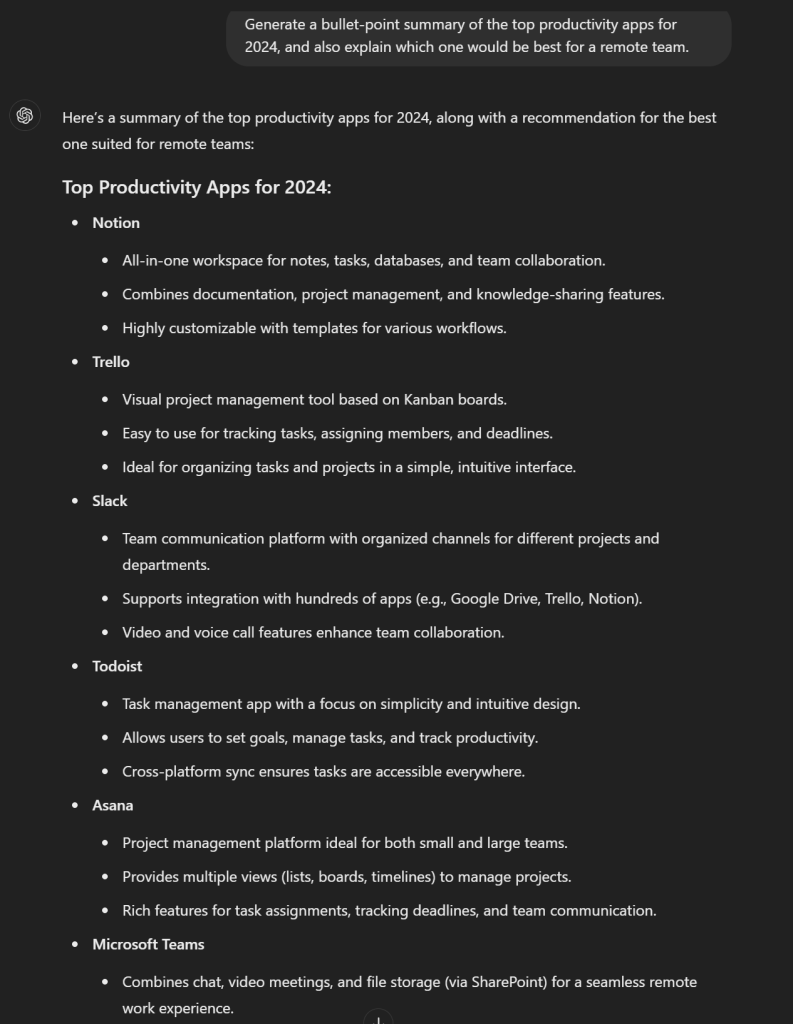
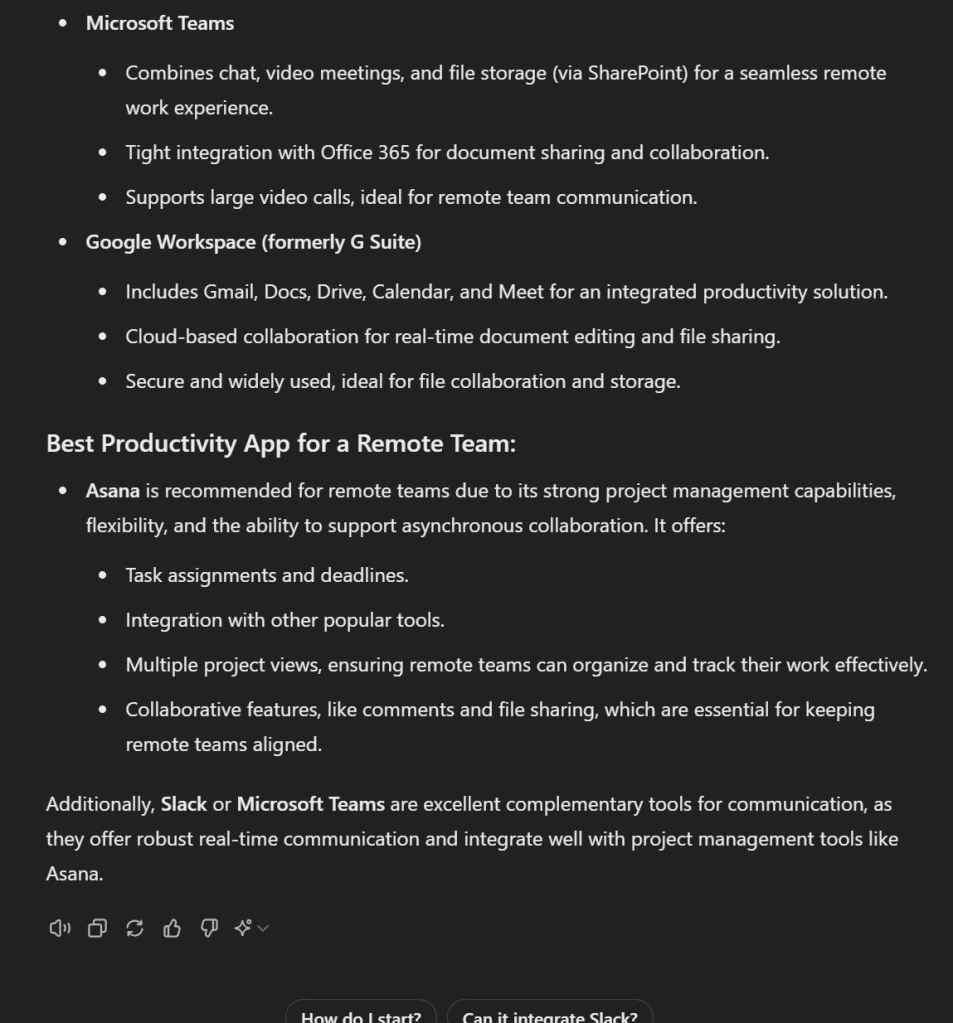
You can combine multiple commands into one prompt to streamline the process. For example: “Generate a bullet-point summary of the top productivity apps for 2024, and also explain which one would be best for a remote team.” This approach allows you to get comprehensive results in a single response.
Advanced Features of ChatGPT
1. Automating Repetitive Tasks
If you frequently perform tasks that require repetitive inputs, ChatGPT can help automate them. For example:
- Email Drafting: You can ask ChatGPT to compose standard email templates for various scenarios like client follow-ups or meeting invites.
- Document Summarization: Upload large documents, and ChatGPT can summarize the key points in a fraction of the time it would take to read them manually.
2. Data Analysis
Do you work with spreadsheets or large datasets? ChatGPT can help you analyze data quickly. You can upload data files, and ChatGPT will assist with tasks such as:
- Cleaning up your data
- Generating summaries or reports
- Creating charts or graphs
For example, you might upload a CSV of your company’s sales data and ask ChatGPT to “analyze quarterly sales trends” or “generate a bar chart comparing product performance.”
3. Creative Content Generation
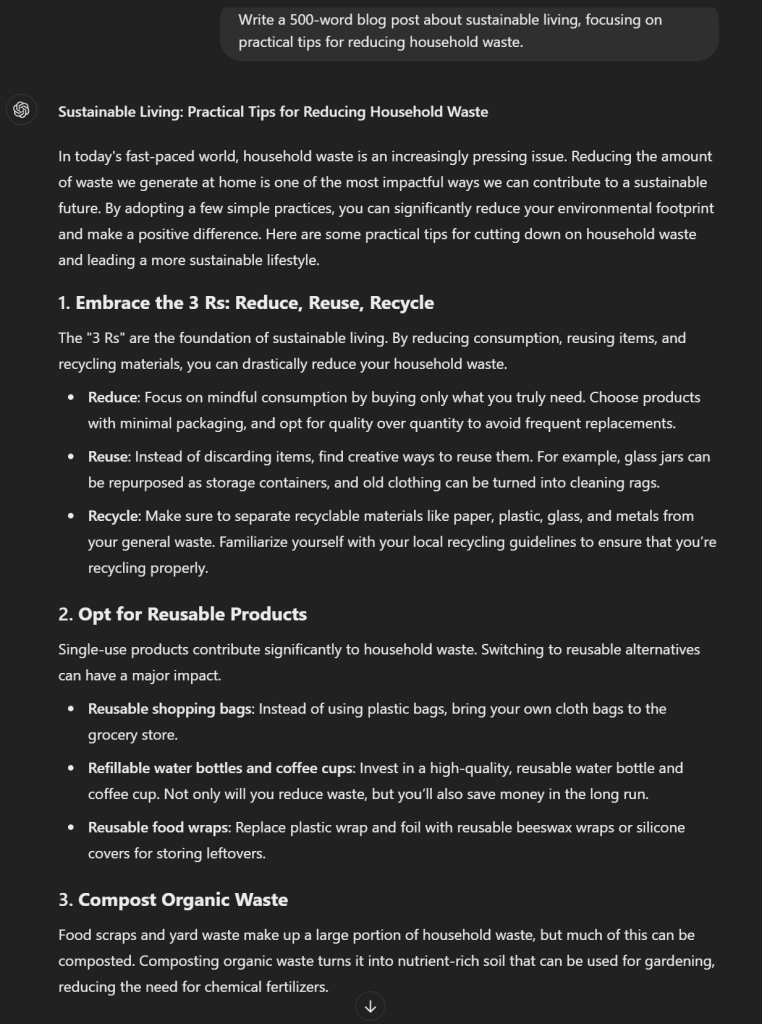
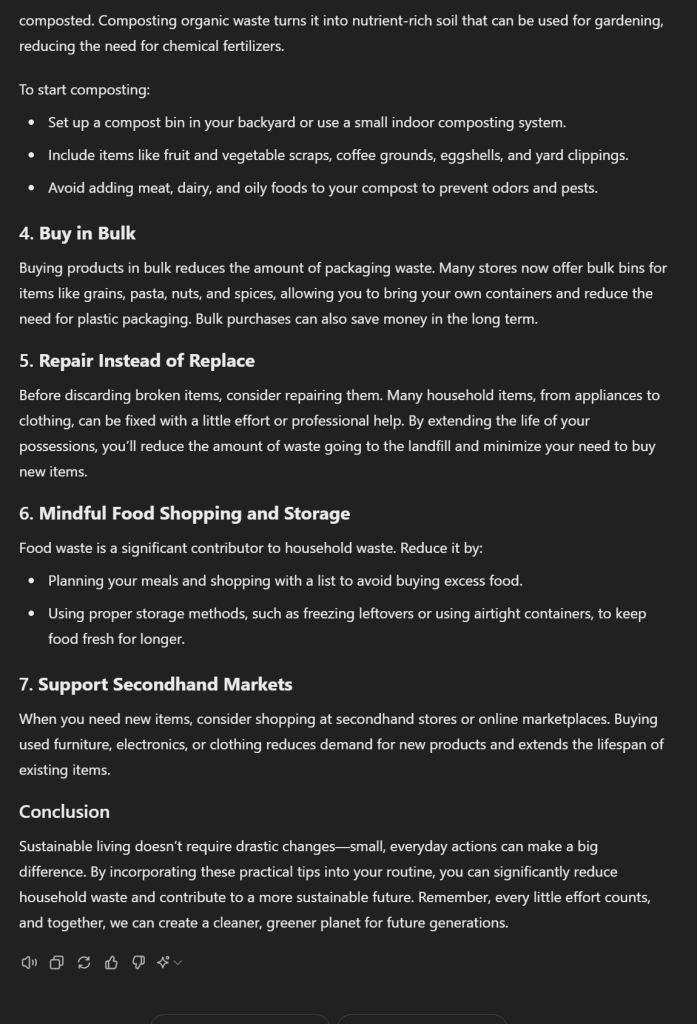
Need help with creative projects? ChatGPT can generate a variety of content, from blog posts to social media captions. You can even provide specific criteria like tone, style, or length to get more personalized content. Example: “Write a 500-word blog post about sustainable living, focusing on practical tips for reducing household waste.”
4. Interactive Visual Tools
If you’re a visual thinker, ChatGPT’s capabilities expand to creating mind maps or diagrams. You can input a complex idea, and ChatGPT will help you break it down into a structured, visual format. Tools like these are especially useful when brainstorming for projects or planning strategies.
5. Scheduling and Planning
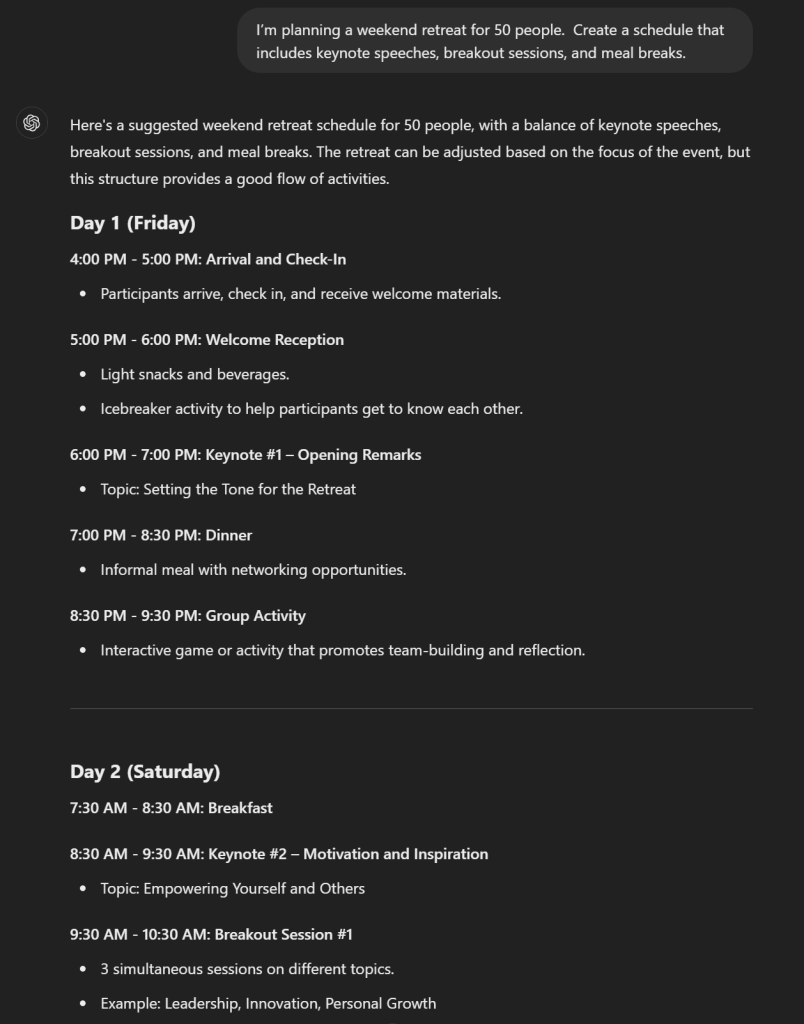
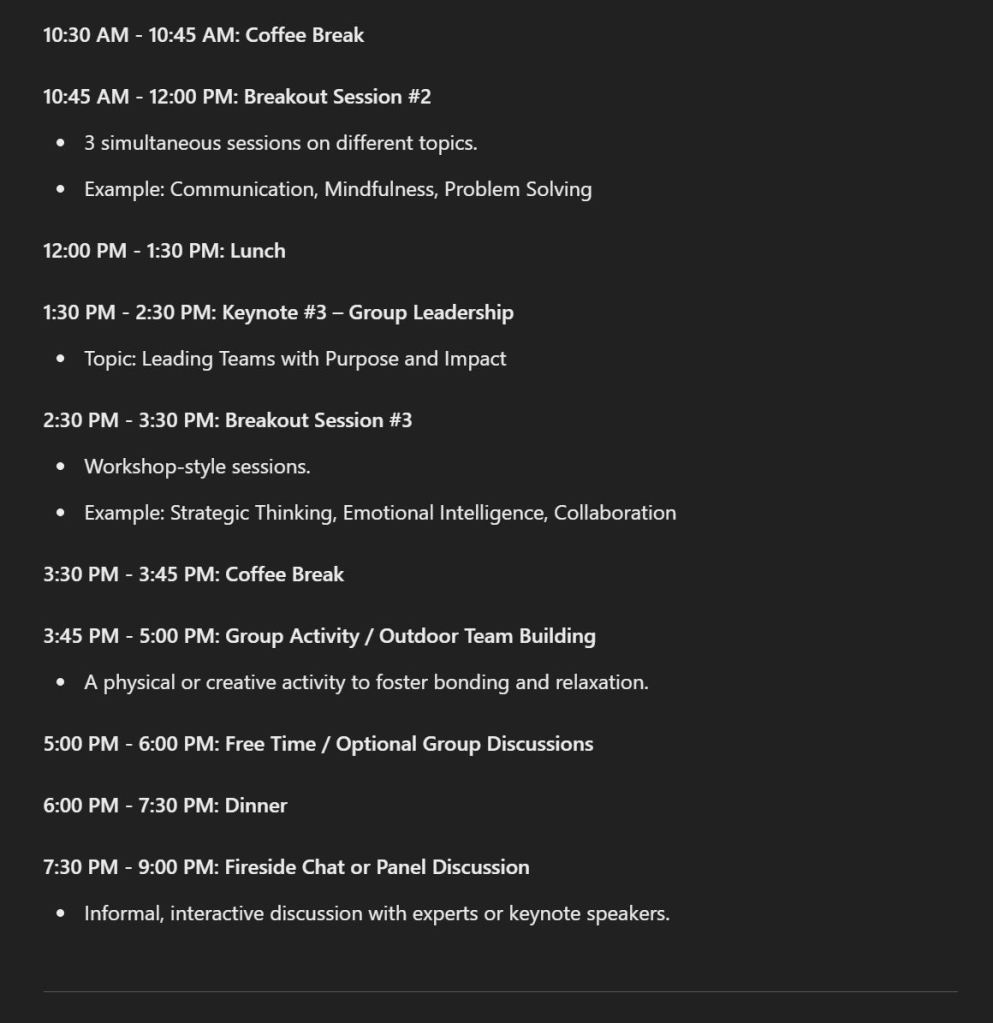
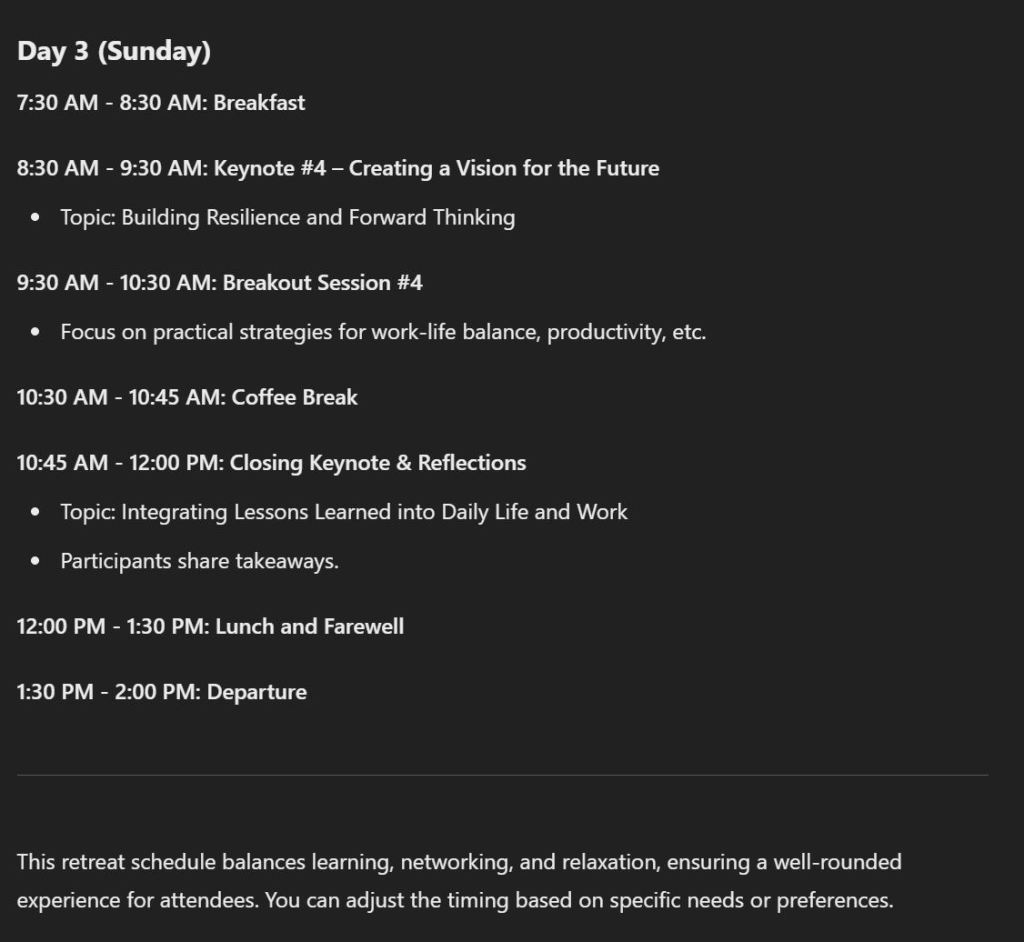
ChatGPT can also take care of scheduling and planning for events or complex projects. Input details like the number of attendees, location, and time constraints, and ChatGPT can create detailed timelines, schedules, or even packing lists. Example: “I’m planning a weekend retreat for 50 people. Create a schedule that includes keynote speeches, breakout sessions, and meal breaks.”
Advanced Techniques for Expert Users
1. Developing Workflows with Custom GPTs
For those looking to automate business processes or streamline personal workflows, ChatGPT allows for the creation of Custom GPTs, which are tailored versions of the assistant that follow specific instructions. These are excellent for tasks that require a repetitive sequence of actions, like sending daily reports or managing project timelines.
2. Advanced Prompting Techniques
Advanced users can get even more out of ChatGPT by using multi-step prompts. This involves asking ChatGPT to complete a series of connected tasks. For instance:
- First, ask for a list of trending technologies in 2024.
- Then, request a deep-dive analysis into how one specific technology could impact your industry.
This approach can help you tackle complex problems with structured, logical steps, saving you time and effort.
3. Combining Features
By combining multiple features, such as data analysis and creative writing, you can tackle sophisticated projects like business reports, content strategies, or event planning in one session.
For instance, you can:
- Upload sales data and ask for a comprehensive sales report.
- Then, use the insights to generate content ideas for a marketing campaign based on those trends.
Best Practices for Using ChatGPT
1. Clarity is Key
The clearer your prompts, the better your results. When asking for detailed information or tasks, provide as much context as possible. This will ensure that ChatGPT generates the most accurate and helpful responses.
2. Experiment with Formats
Don’t hesitate to request different output formats. Whether you need lists, tables, or step-by-step guides, ChatGPT can accommodate these styles, making your content more organized and presentable.
3. Use Follow-Up Questions
Take advantage of ChatGPT’s conversational memory. After an initial response, ask follow-up questions to clarify or dig deeper into the information you’ve received. This feature is especially helpful when handling complex topics or large datasets.
Conclusion: Unlock ChatGPT’s Full Power
ChatGPT is more than just a chatbot. It’s a powerful AI tool that can help you automate tasks, learn new topics, and even create content. By mastering prompting techniques and taking advantage of its advanced features, you can save time, enhance productivity, and even discover new creative outlets.
The key to success with ChatGPT is experimentation. Try different prompts, formats, and workflows to find what works best for your needs. Whether you’re a student, business professional, or creative, ChatGPT has the potential to revolutionize the way you work and play.
Ready to take your ChatGPT experience to the next level? Start by experimenting with different prompts and advanced features, and see how this AI tool can transform your daily tasks!

